Drag-and-drop editing.
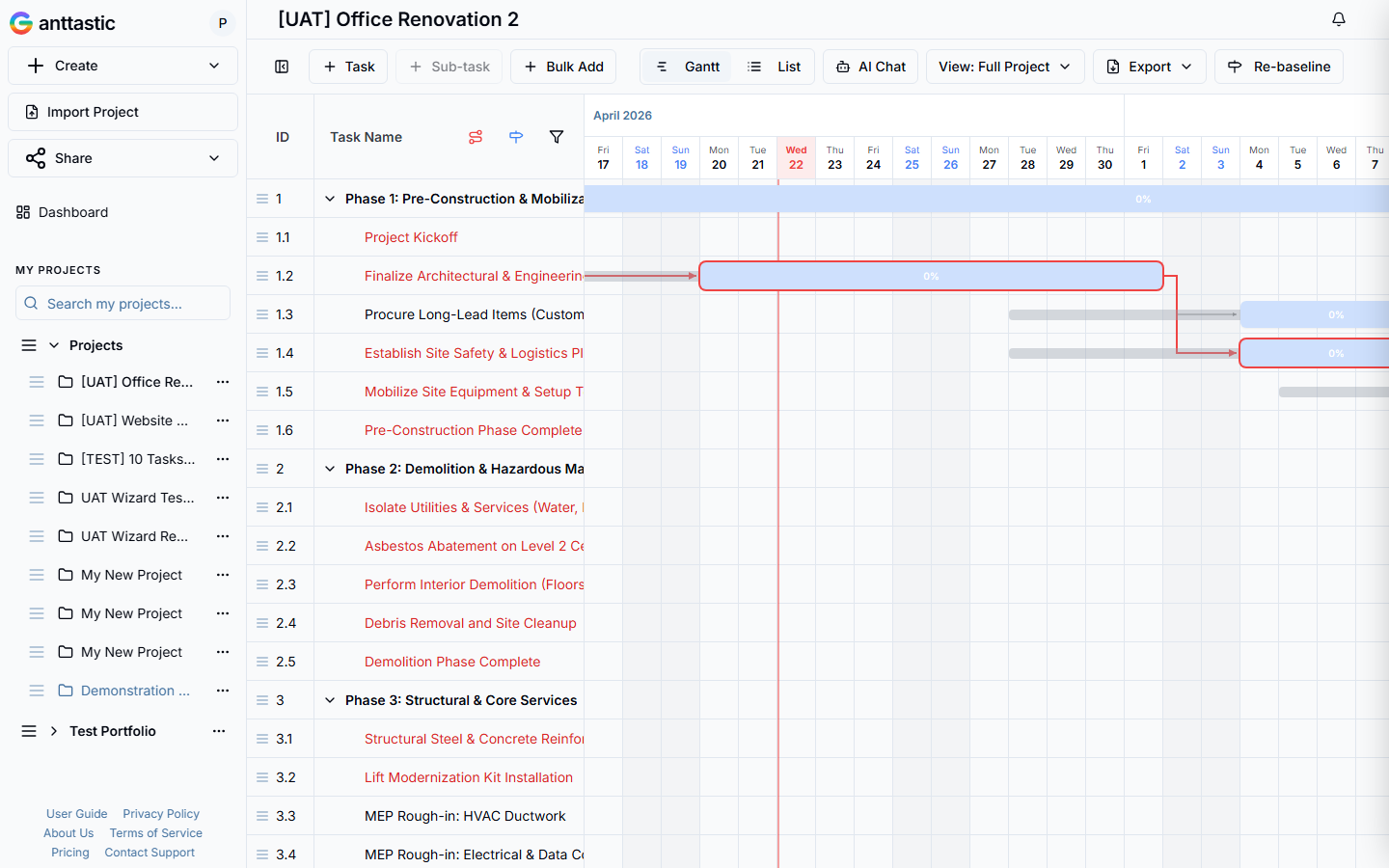
Move a task, extend a bar, rewire a dependency. The math catches up. No form dialogs in the way, no mode switches to remember. The chart is the editor.
Task shifts two days. Downstream slides with it.
Describe what you’re building. Ganttastic drafts the schedule, dependencies, and resourcing. Edit by dragging. Share with a link.
Built for solo PMs and small teams. No credit card.
First when you type the dates. Again when someone asks what moves if a task slips. Ganttastic keeps the structure of a spreadsheet and adds the one thing it can’t do: show you the plan.
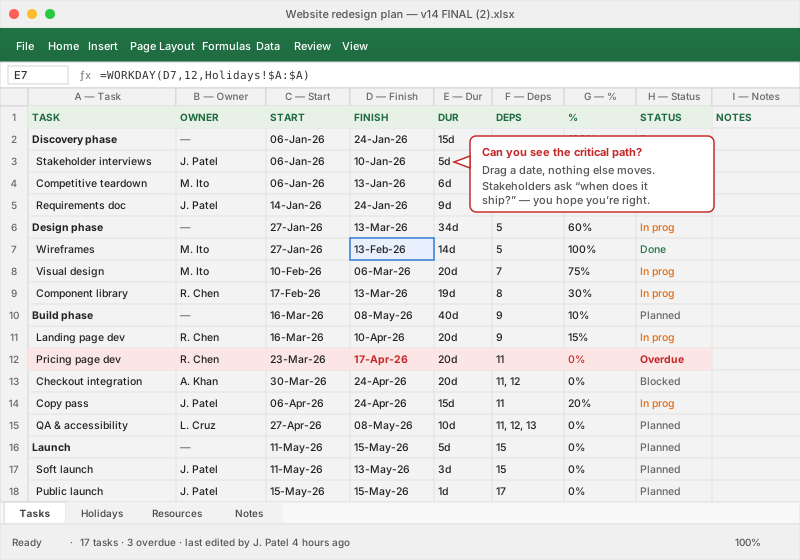
Paste an Excel plan in and Ganttastic keeps your columns. Keep the spreadsheet if you want — export back anytime.
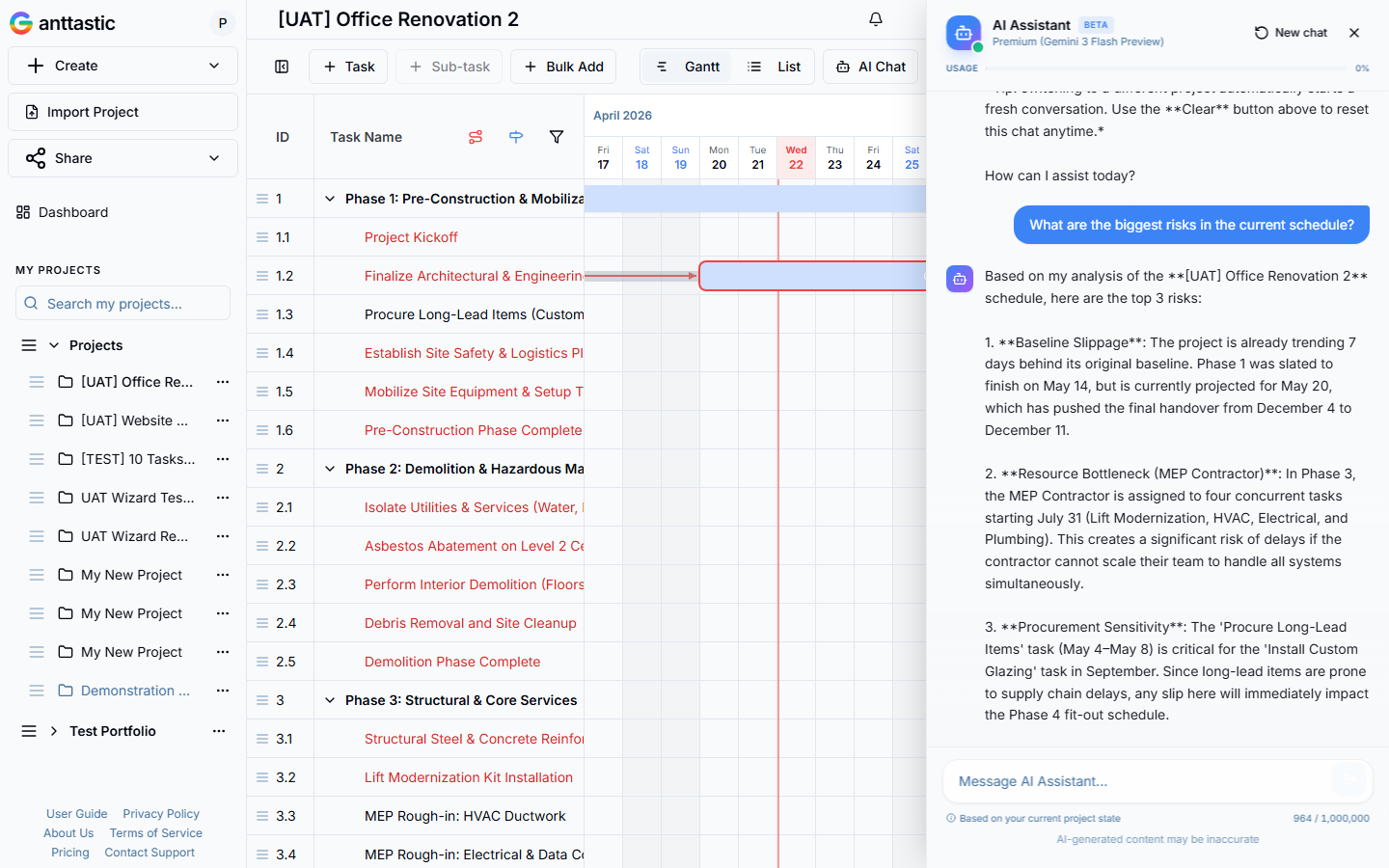
Tell Ganttastic what you’re building and who’s on the team. It drafts tasks, sets dependencies, and assigns owners — then you edit like any other Gantt. Not a blank canvas. Not a 40-row template. A draft you can push back on.
“
Ask it to shift the deadline or swap an owner. Downstream tasks move with the change.
PRINCE2, PMBOK, or plain-language — the draft follows the structure you ask for.
Rename a task, drag a bar, rewire a dependency — Ganttastic won't overwrite it.
Around 50 AI plans per month on Professional. No usage throttling for normal teams.
Everything you need to plan, track, and share work. Nothing you’d need to train a team to use.
Move a task, extend a bar, rewire a dependency. The math catches up. No form dialogs in the way, no mode switches to remember. The chart is the editor.
Task shifts two days. Downstream slides with it.
See what actually moves the deadline and what’s slack. Snapshot the plan to track drift.
Assign owners. Spot the week two people are overbooked.
Read-only links for stakeholders. No seat required to view.
Every project on one timeline when leadership asks what the team is actually doing this quarter.
PNG for the deck, PDF for the steering pack, Excel/CSV for the PMO. Excel import too.
Any surface — no lock-in on format.
“We were drowning in spreadsheets and Slack threads. Ganttastic gave us one source of truth for the whole team. Dependencies just work.”
“Our steering committee wanted a timeline we could actually maintain. This beats redrawing in Excel every Friday. The drag-to-edit is game-changing.”
“Sent stakeholders a read-only link instead of a PDF deck. They could see the actual plan, ask questions, and we didn't need to re-export. Saved hours.”
Try without signing up. Start free when you want to save. Upgrade when the team grows.
Everything you need to get your first project moving.
Run multiple projects with AI-assisted planning.
The full Ganttastic experience for serious project managers.
Can’t find yours? Email hello@ganttastic.com and we’ll answer within one business day.
Try the full editor without signing up. Save when you’re ready. $9/user/month when you want the AI and the rest of the tool.
The plan that lives in your head needs a home.
No credit card. Nothing to install.